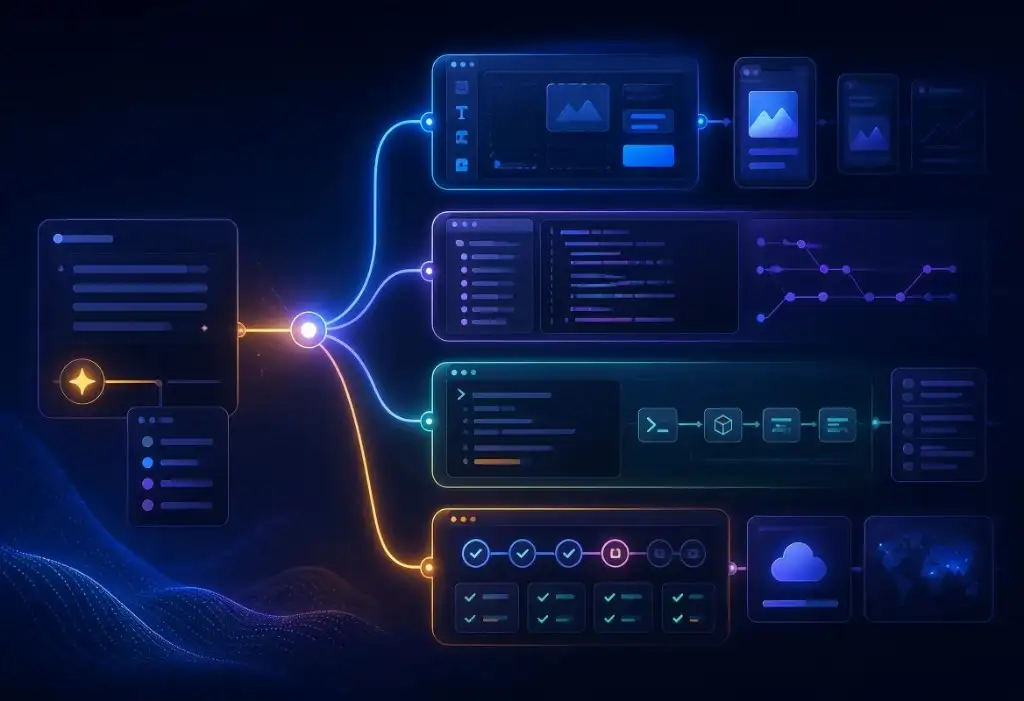


Vibe coding tools allow people to turn written requests (prompts) into working software. Some are built for non-technical founders who can now create applications and tools and then iterate on these tools to improve them. Others are better for trained software developers who use AI-assisted coding, which we call Charioteering. Charioteers will also look at, rewrite, test and analyze the generated code along with the output of their applications.
That difference matters. Tools that are great for a weekend prototype may not be the best choice for an app that needs customers, payments, private data, or a long-term development process including security and scalability.
If you are comparing vibe coding tools, apps, platforms, IDEs, or AI coding assistants, the first question is not “Which tool is best?” It is “What am I trying to build, and what happens after the first version works?”
What are vibe coding tools?
Vibe coding tools are software products that use AI to help create or change applications from natural-language prompts. You describe what you want, review what the AI creates, then keep prompting, editing, testing, and refining.
The category is broad. It includes AI app builders, browser-based platforms, Integrated Development Environments (IDEs), command-line coding agents, and assistants that work inside GitHub or other code workflows.
Some common examples include Lovable, Base44, Replit, Bolt.new, Manus, Cursor, Claude Code, Gemini, Google AI Studio, and GitHub Copilot. These are not all trying to solve problems in the same way.
A founder validating an idea may care most about speed. A developer may care about code ownership, deployment, and testing. A business replacing a real workflow may care about security, maintainability, and whether the app can survive real users.
If you need a plain-language starting point, our article on vibe coding meaning explains what vibe coding is and when it works.
Start with the requirements, not the tool
Before choosing a tool, define your initial requirements: the first workflow you want to create.
That might be a login screen, a dashboard, a booking flow, a quote builder, an invoice flow, a checkout step, or an internal approval process. The tool matters, but the workflow matters more.
Try to write out a clear specific workflow as a starting point.
e.g. "Create a webpage to create lists of recipes. The user adds a recipe title, and then types in recipe items or chooses a URL to get the recipe from. The application should pull a matching recipe image from https://www.pexels.com. The user can delete recipes, edit titles and text, and request a different image. Use blue, purple and white colors for the interface."
Looking at the result, if the first version helps a user complete a real task, you have learned something useful. If the tool produces a polished screen that does not support the core workflow, you are mostly testing the tool, not the product.
This is where many vibe-coded products start strong. The prototype becomes the first draft of the requirements. Instead of trying to describe every detail up front, you build something, click through it, and learn what needs to change.
The risk comes later, when the same prototype starts turning into the product people depend on.
Vibe coding apps vs. vibe coding platforms vs. IDE-based tools
People often use “vibe coding tools,” “vibe coding apps,” and “vibe coding platforms” interchangeably. For choosing a vibe coding approach, the differences are useful.
A vibe coding app helps you create something quickly from a prompt. It may feel like an app builder, where the interface guides you through prompting, previewing, iterating and publishing. Claude Code and OpenAI Codex have simple interfaces and provide a wide range of functionality via command prompts, but they are not traditional IDEs.
A vibe coding platform usually gives you more of an ecosystem. It may include hosting, backend services, authentication, database features, and a dashboard for managing the project.
IDE tools have been used for decades for traditional software development. Cursor, GitHub Copilot, and similar tools help generate or edit code in a UI heavier development environment, often as add-ons to pre-LLM development tools. These tools can be a better choice when you are working professionally with code ownership, version control, testing, code architecture, and long-term maintainability.
None of these categories is automatically better. They fit different stages and approaches.
The comparison below is not a ranking. These tools solve different problems. Some optimize for speed. Some optimize for ownership. Some are better for non-technical builders. Others make more sense when a developer needs to keep control of the codebase.

WHAT IS BEST FOR YOU?
What Platform is Best for Vibe Coding
The best vibe coding platform depends on what you are optimizing for: speed, control, or long-term ownership. Many founders start with managed tools because they are fast. Others use IDE-based workflows like Cursor for vibe coding because they want less vendor lock-in and a more standard deployment path.
- Base44: extremely fast to ship inside its ecosystem, but it can introduce platform dependency.
- Lovable: fast iteration with flexible backend options, often a good balance of speed and control.
- Replit: great for fast builds and collaboration, but you still need production discipline.
- Manus: promising for agent-style building, but treat it as a prototype accelerator and expect to harden before launch.
- Cursor and Claude Code: strongest when you want a conventional codebase that deploys cleanly and avoids vendor lock-in.
No matter what tool you pick, the pattern is the same: prototype fast, then run a vibe code audit or vibe code review before real customers depend on it. Future Wonder helps you keep building while we harden the exported codebase with architecture cleanup, security, tests, performance work, and a release process that will not surprise you at launch.
Best vibe coding tools for different builders
The best vibe coding approach depends on who is building and what they need next.
For a non-technical founder, managed platforms can be useful because they reduce setup time. You can prompt, preview, and iterate without starting from a blank repository. That can be enough for validating a workflow or showing a product idea to early users. Many tools provide some logical separation of concerns, e.g. encouraging a different layer to store application data like Supabase.
For a technical founder or developer, IDE-based tools are more natural and keep the work closer to traditional software development. That usually makes it easier to review changes, write tests, manage branches, and deploy through a familiar process.
For a business team, the best tool may be the one that gets the team to a realistic prototype fastest. But before that prototype becomes part of daily operations, someone still needs to review the structure behind it.
The real choice is not just “Lovable vs. Cursor” or “Replit vs. Bolt.new”. It is whether the tool fits the stage that the product is at.
If you want another outside perspective, recent comparison guides from Daillac and Valletta Software also group vibe coding tools by workflow instead of treating every tool as one ranked list.
Free tier vibe coding tools
Free tools can be enough when the goal is learning. They can help you understand a workflow, create a demo, test interface ideas, or decide whether the concept is worth more investment.
Free tools are usually not enough when the product starts handling real business risk. That includes customer accounts, payments, private data, production integrations, permissions, or anything a customer will depend on securely. Free tiers often default to an "Auto" mode, which may use models that are efficient for the tool provider but not necessarily for your task.
Expect to pay for a subscription or credits to continue to develop the product and iterate on design, engineering, security, and a more formal testing process where you deploy to a staging environment before deploying live.
What to look for before choosing a vibe coding platform
Before choosing a vibe coding platform, look beyond the first demo.
A few practical questions matter:
- Can you export or own the code?
- Does the app provide architectural advice and backend and data suggestions?
- Can the app connect to the backend you want?
- Can you separate testing from production, and does the tool support this natively?
- Can you review changes before they go live?
- Can you add tests and a release process later?
- Can another developer understand what the AI created?
- Can you fix security or data issues without fighting the platform?
If the goal is a quick proof of concept, you may not need perfect answers to every question. If the goal is a real product, those answers matter much more.
This is where tool choice and product stage connect. A managed vibe coding app can be the right place to start. A more traditional code workflow may be the right place to continue.
When to move from a vibe coding platform to a real codebase
A managed vibe coding platform can be the right place to start. It can help you test the core workflow, show the idea to users, and learn what people actually need.
But some products eventually need more control. That might mean exporting code, moving into a standard repository, adding tests, separating staging from production, or connecting to a backend your team can maintain over time.
This does not mean the first tool was wrong. It means the product moved into a new stage.
A prototype answers “Should this exist?” A production codebase has to answer harder questions: can it be secured, tested, deployed, monitored, and changed without breaking what already works?
Examples of vibe coding tools by category
Each tool sits in a slightly different part of the vibe coding landscape.
Lovable and Base44 are often attractive when speed and a guided app-building experience matter. They can help founders move from idea to demo quickly. Google also offers Google AI Studio as a simple sandbox environment for early AI application experiments.
Replit and Bolt.new are useful for fast experimentation, web apps, and collaborative building. They can help teams test ideas without spending too much time on setup.
Cursor, GitHub Copilot and Google Antigravity are closer to a traditional development workflow. They are often better when the team wants AI assistance while keeping more control over the codebase.
Claude Code and OpenAI Codex fit better as command-line or task-based coding agents than as traditional IDEs. They can be useful when a trained developer wants agent-style help across files, tasks, refactoring, or review.
Teams can adopt multiple tools as long as care is taken to store code in a shareable location like GitHub. A prototype can start in one environment, then move into a more maintainable development process when the product proves its value.
Model choice: paid vibe coding subscriptions
Paid tiers give you more specific selections of more capable and newer models. You can disable "Auto" mode for more complicated tasks, switching back to "Auto" for simpler tasks to conserve your credits. You may have enough credits to run complicated requests through two or more different models and summarizers, which is part of the Future Wonder Charioteering process.
The models you choose to use in the tools are important. Your tasks may be completed well with whatever your tool's default model is. You may be missing out but not exploring different (and more expensive) models that require a paid subscription.
As of Q2 2026, we have found that Google's models like Gemini 3.1 Pro lag behind other competitor models like Opus 4.8 or GPT-5.5 for pure reasoning. We have found that Gemini 3.1 Pro is excellent at handling and processing common media types like PDFs, images and video. Google also offers other tools like Nano Banana 2 for image creation. Google AI development environments that natively offer their full model range are powerful across a range of activities you can use for app design and creation.
Cursor will encourage you to use their own Composer model family like Composer 2.5. These are cheaper in credits and offer some generous usage once you select a paid subscription. Even if you select a more expensive model like OpenAI's GPT-5.5, Cursor may start subagents using their Composer models to help do the simpler parts of complex tasks.
Models and tools change quickly, so the comparisons above are useful to demonstrate the types of differences that you may find across different tool and model combinations.
When a vibe-coded prototype needs expert review
A vibe-coded prototype needs expert review when users start depending on it.
That can happen sooner than founders expect. A demo becomes a pilot. A pilot starts collecting customer data. A test workflow becomes part of operations. A payment feature gets added because the app finally feels real.
That is usually the point where prompting alone stops being enough.
Future Wonder’s Vibe Code Rescue offering is built for this stage. We review what has been created, identify what is worth keeping, and help turn a fast prototype into software that can support real users.
If you want more detail on the production-readiness side, our article on making vibe-coded solutions production-ready explains the workflow, review process, and guardrails that matter after the first prototype works. Our article on the Vibe Coding Wall covers the point where prompts start breaking existing behavior and the codebase needs more structure.
The goal is not to stop vibe coding. The goal is to keep the speed while adding structure, testing, security review, and a release process that can support the next version.
A shout out to a Midwest startup vovy.ai, which provides vibe coding browser plugins and educational tools to help with vibe coding. Check them out to learn how to vibe code more efficiently.
Choosing the right vibe coding tool
If you are still exploring, choose the tool that helps you learn fastest.
If you are close to launch, choose the path that gives you more control, review, and maintainability.
If you already have a working prototype, the next decision may not be which vibe coding tool to use. It may be whether the app is ready for real customers.
That is the moment to slow down just enough to look under the hood. Fast prototypes are useful. Production software needs more than a good demo.